ircDDBGateway/DStarRepeater configuration

Under Linux, run the programs
sudo ircddbgatewayconfig
and
sudo dstarrepeaterconfig

Under Windows, run the programs "ircDDB Gateway Config" and "D-Star Repeater Config".

Note: the ircDDBGateway and DStarRepeater applications MUST NOT be running when you run the configuration tools, otherwise the configruation file cannot be saved to the hard drive because it it already in use and won't have permissions to write to the file. Often there won't be an error message when it fails to write to the file.

ircDDBGateway configuration

Windows version Linux version Description
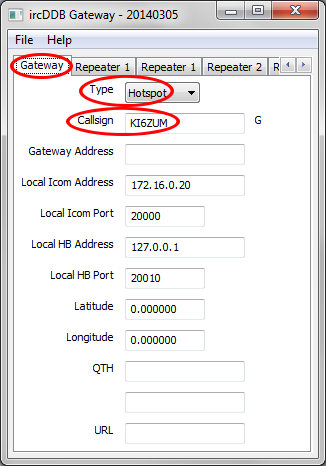
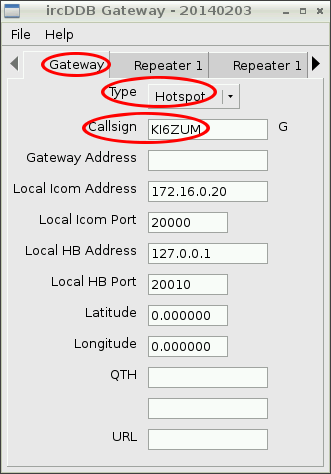
gateway-gateway settings gateway-gateway settings Gateway
  • Type - select "Hotspot"
  • Callsign - enter your callsign
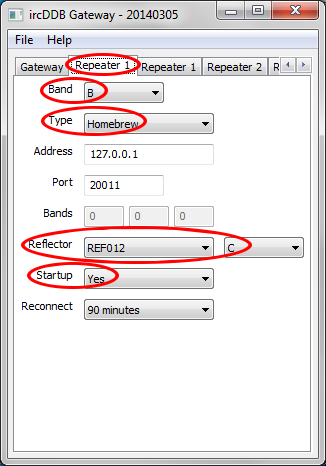
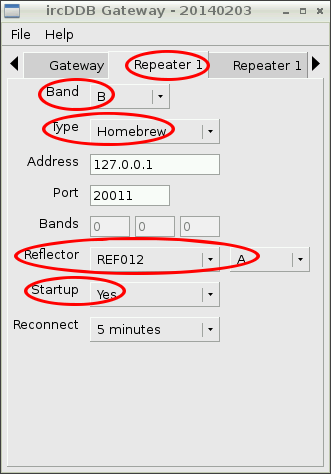
gateway-repeater settings gateway-repeater settings Repeater 1
  • Band - select the same band you set in DStarRepeaterConfig for the Callsign setting
  • Type - select "Homebrew"
  • Reflector - select the reflector and band of choice
  • Startup - select "Yes" if you want ircDDBGateway to automatically connect to the reflector each time the app starts.
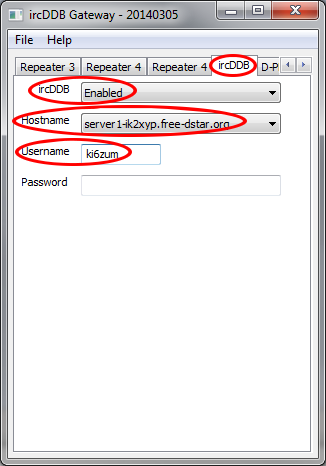
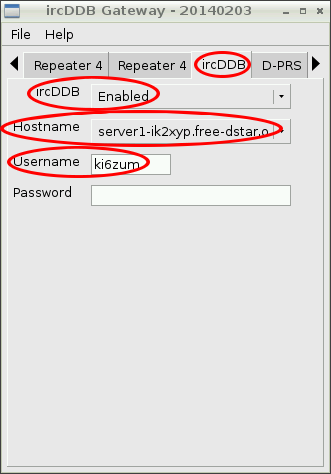
gateway-ircddb settings gateway-ircddb settings ircDDB

Leave this disabled, unless you;
  • have registered for ircddb gateway -or-
  • use one of the test servers, ie server1-ik2xyp.free-dstar.org
When using a gateway, use your callsign and password.

When using one of the testservers, use your callsign in lowercase and leave password field blank.

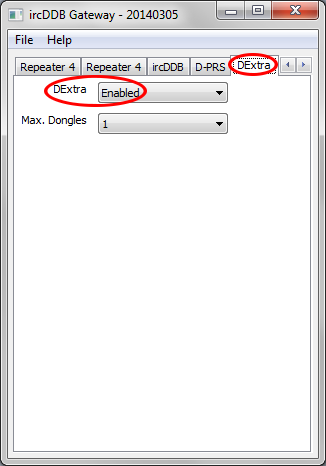
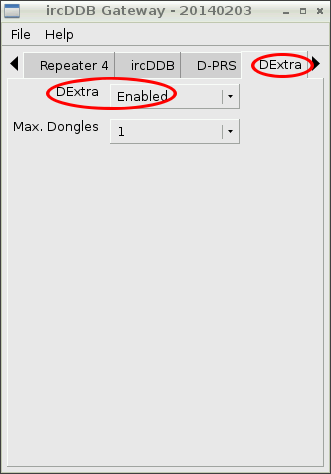
gateway-dextra settings gateway-dextra settings DExtra
  • DExtra - select "Enabled"
  • Max. Dongles - select "1"
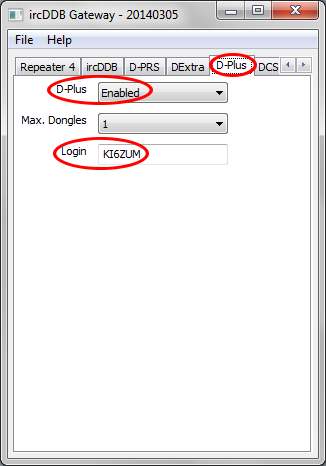
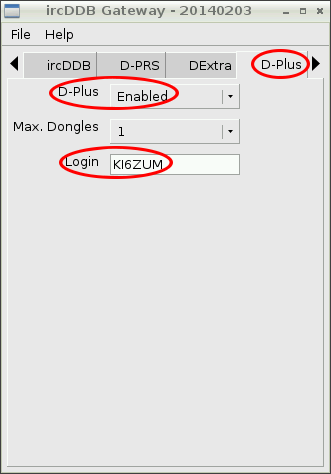
gateway-dplus settings gateway-dplus settings D-Plus
  • D-Plus - select "Enabled"
  • Login - enter your callsign

DStar Repeater configuration

Windows version Linux version Description
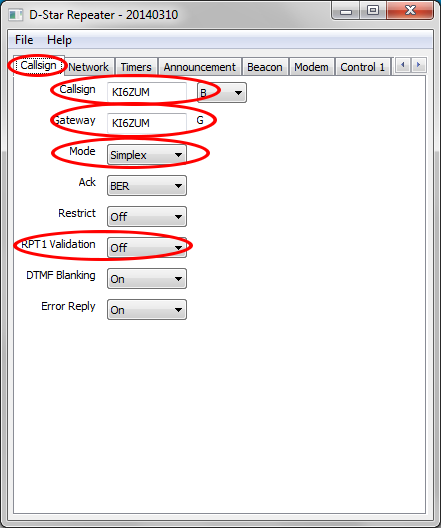
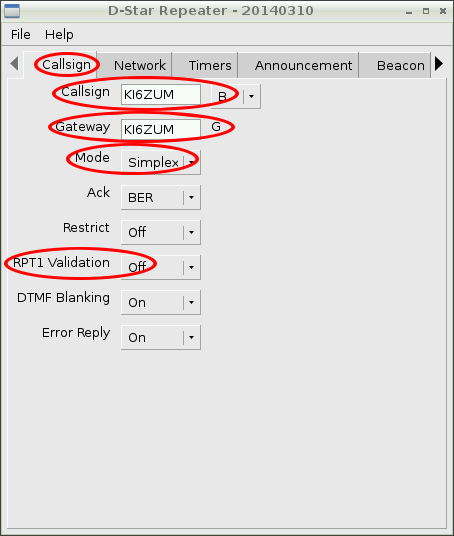
repeater-callsign settings repeater-callsign settings Callsign
  • Callsign - enter your callsign and select the same "Band" setting as you chose in the ircDDBGateway configuration
  • Gateway - enter your callsign
  • Mode - select "Simplex"
  • RPT1 Validation - select "Off"
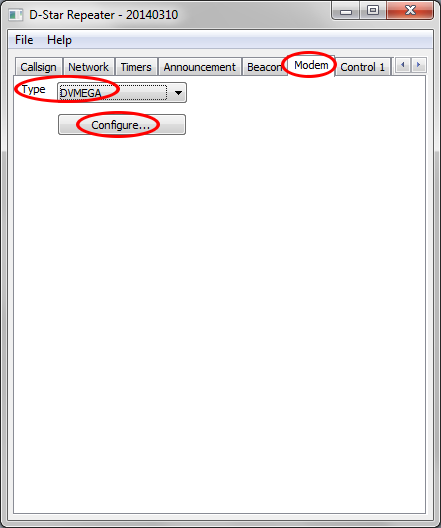
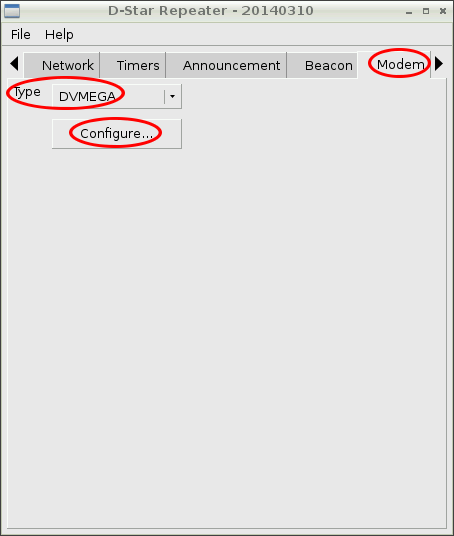
repeater-modem settings repeater-modem settings AD7021 Evaluation board Modem
  • Type - select "DVMEGA"
... then hit the "Configure" button to go to the "Modem Configuration" menu
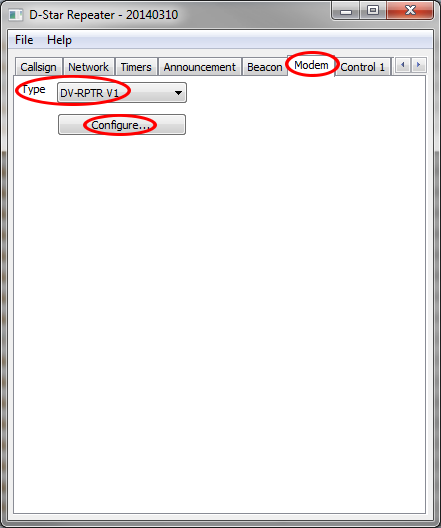
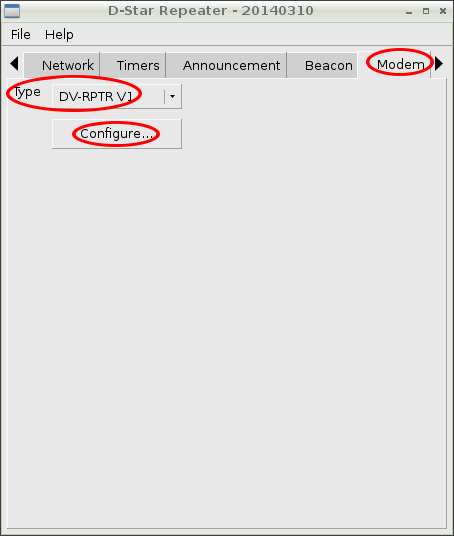
repeater-modem settings repeater-modem settings DV for Arduino/RasPi DV-AVR GMSK Modem
  • Type - select "DV-RPTR V1"
... then hit the "Configure" button to go to the "Modem Configuration" menu

Modem configuration

Windows version Linux version Description
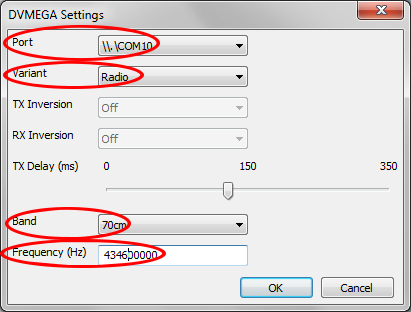
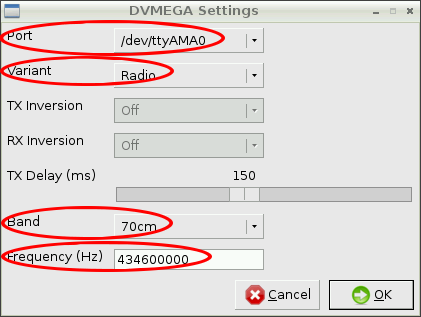
repeater-dvmega settings repeater-dvmega settings DVMEGA Settings
  • Port - select the serial port where the modem is connected
  • Variant - select "Radio"
  • Band - select "70cm" for Eval board
  • Frequency - select 70cm frequency

NOte: Under Windows the serial port names will be in the form similar to "\\.\COM11". Under Linux the serial port names will be in the form similar to "/dev/ttyAMA0"
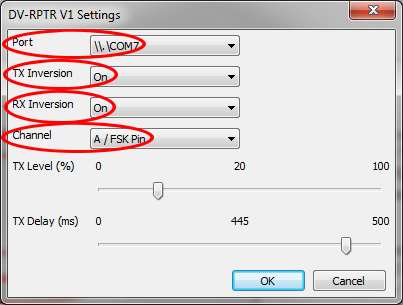
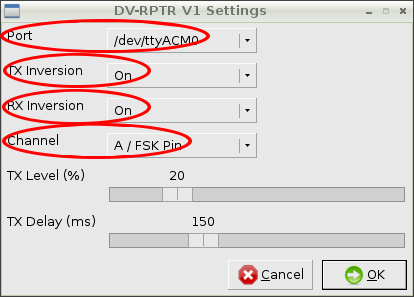
repeater-dvrptrv1 settings repeater-dvrptrv1 settings DV-RPTR V1 Settings
  • Port - select the serial port where the modem is connected
  • TX Inversion - check if radio requires transmit signal inversion
  • RX Inversion - check if radio requires receive signal inversion
  • Channel - select "A/FSK Pin" for GMSK modem
"TX Level" and "TX Delay" are not used by the GMSK modem, so they do not need to be set.

Note: Under Windows the serial port names will be in the form similar to "\\.\COM11". Under Linux the serial port names will be in the form similar to "/dev/ttyAMA0"
All text and images on ki6zum.com are copyright (c) 2010-2014 and may not be reproduced in any form without written permission.
ki6zum